
02 / Purchase orders
Supplier purchase orders for your Shopify reorder workflow
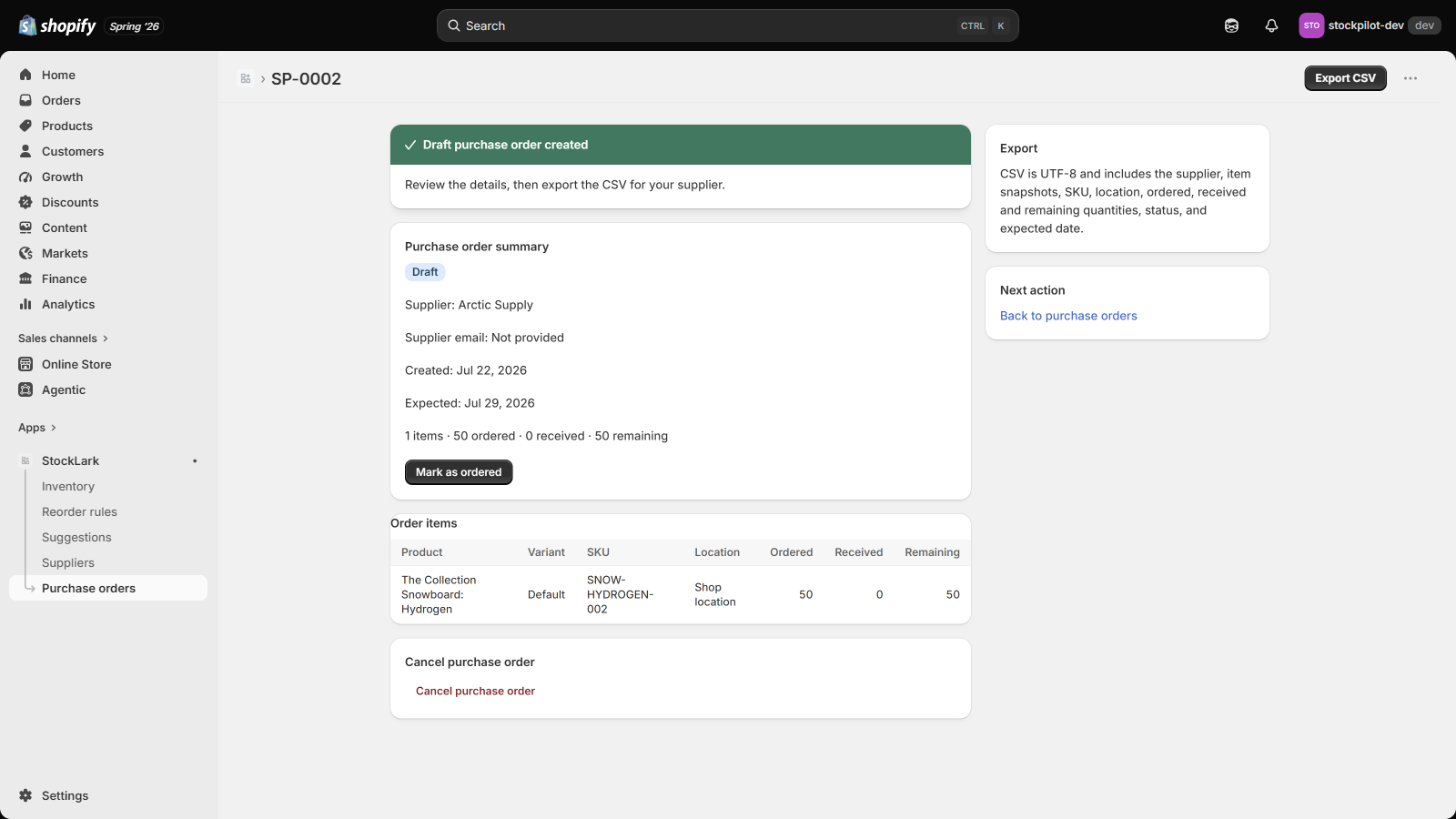
Turn reviewed reorder suggestions into supplier-specific drafts, export a CSV, and record partial receipts. StockLark purchase orders are planning records inside the app; they do not change Shopify stock.
By the StockLark team · Updated
From suggestion to supplier
- Create a supplier and assign it to your reorder rules.
- Review suggested items for one supplier and create a draft PO.
- Check quantities and expected dates. Export the UTF-8 CSV for your purchasing process.
- Send the order to your supplier separately, then mark the PO Ordered in StockLark.
- Record receipts as deliveries arrive. Update Shopify inventory separately through your usual stock-control workflow.
Keep outstanding quantities visible
Consider this hypothetical partial delivery for one tracked variant at one location, with a reorder point of 60 and target stock of 100. Assume no sales, other stock changes, or other outstanding purchases during the example. Inventory position is Shopify available stock plus outstanding StockLark PO units.
- Before delivery: Shopify available 10 plus 50 outstanding on an Ordered StockLark PO gives position 60. The reorder point is met, so the suggestion is 100 - 60 = 40 units.
- Both records aligned after receiving 20: Shopify available is 30 and the partially received StockLark PO has 30 outstanding. Position stays at 60, so the suggestion remains 40 units.
- StockLark receipt recorded only: Available stays at 10 while outstanding falls to 30. Position is 40, so the suggestion is 60 units, overstating the aligned result by 20.
- Shopify stock updated only: Available rises to 30 while StockLark still counts 50 outstanding. Position is 80, above the reorder point of 60, so no reorder is suggested.
Recording a receipt changes only StockLark records; it never writes Shopify inventory. Follow your actual receiving process to reconcile Shopify available stock and the StockLark receipt separately before using the next reorder calculation.
What is in the CSV?
The export includes supplier, SKU, location, ordered, received and remaining quantities, status, and expected date. It is a StockLark export, not a promise of compatibility with every supplier system or Shopify’s native PO import format.
Does this sync with native Shopify purchase orders?
No. StockLark stores its own POs and counts its own outstanding orders. It does not create native Shopify POs, import native PO history, email suppliers, or adjust inventory on receipt.
For receiving directly into Shopify stock, review Shopify’s built-in purchasing workflow before choosing a separate planning tool.