01 / Inventory
Start with what Shopify says is available.
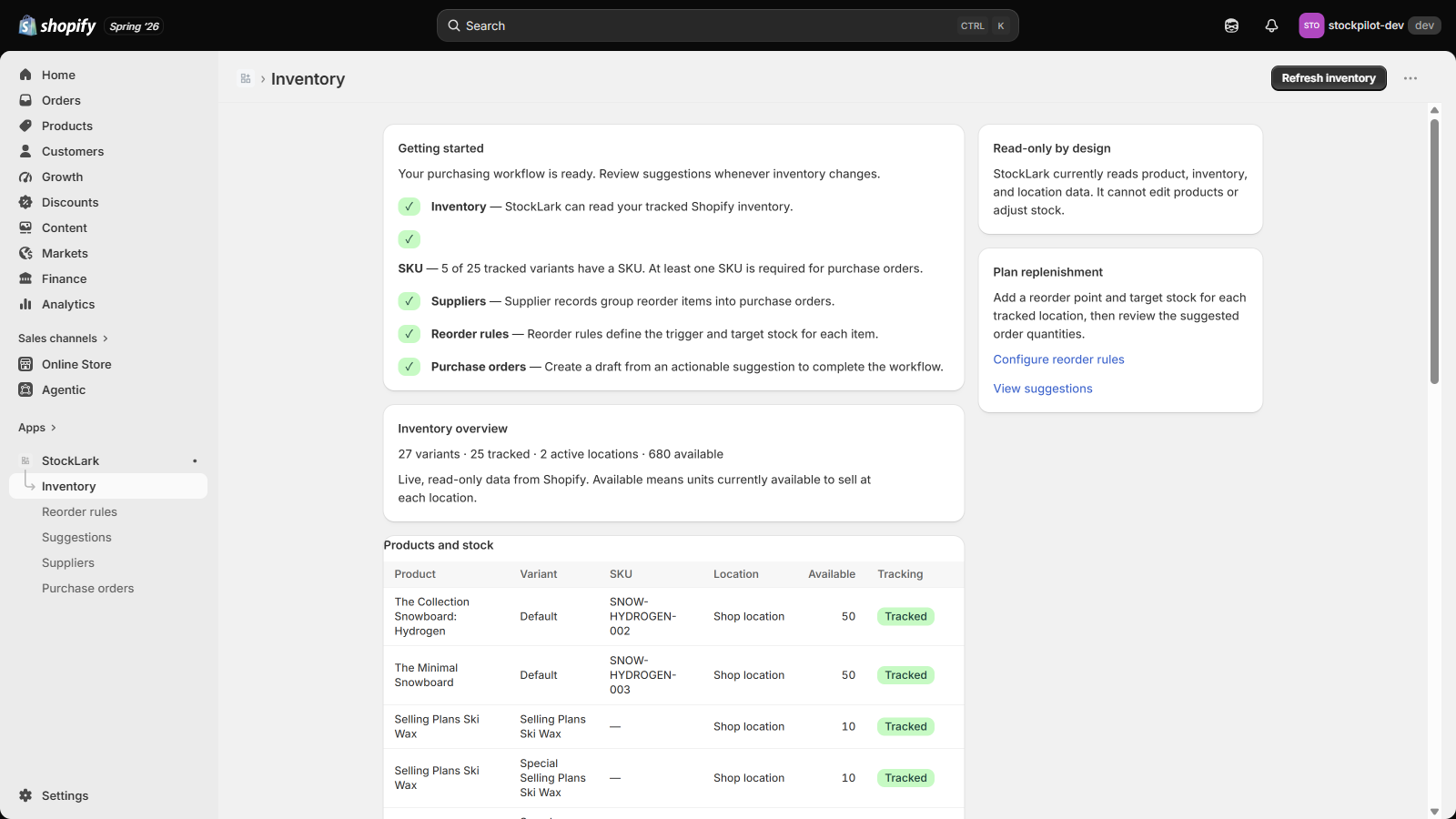
Review products, variants, SKUs, locations, tracking status, and available quantities in one read-only table.
 StockLark
Reorder planning for Shopify
Set stock thresholds by variant and location. Review clear reorder calculations, then turn them into supplier purchase-order drafts.
$9.99 USD/month after trial · Billed through Shopify. See pricing
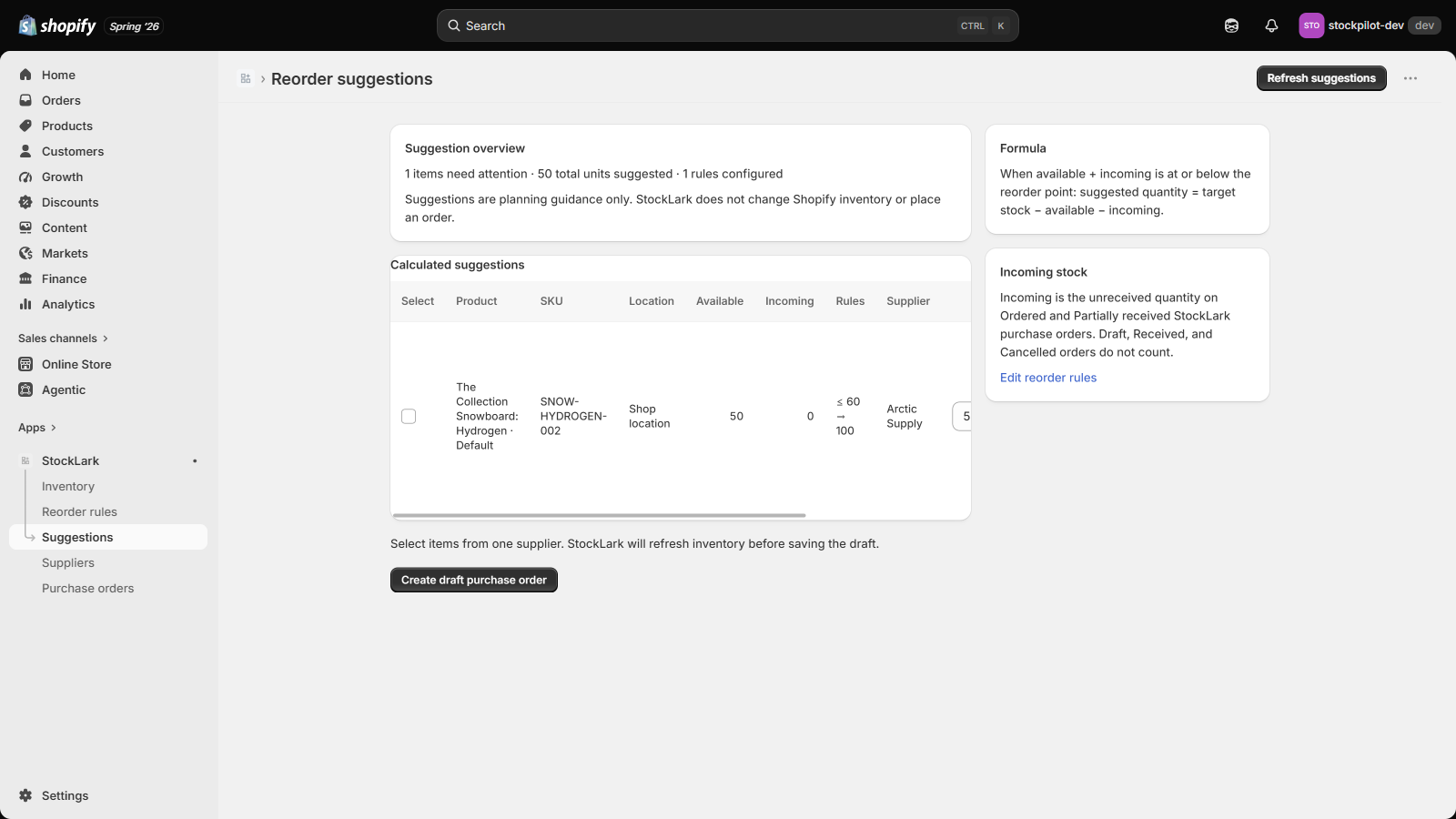
See how available and outstanding quantities shape a suggestion.
02 / PurchaseFrom a reviewed draft to CSV export and partial receiving.
03 / CompareCompare StockLark with Shopify’s built-in inventory tools.
Small by design
StockLark is for small retail teams that need reorder points, target stock, suppliers, purchase orders, receiving, and clean exports—not another months-long implementation.
It is a focused business-continuity tool, not a promise of a one-click Stocky data migration. Supplier details and unavailable Stocky history must be entered or preserved separately.
One focused workflow
Review products, variants, SKUs, locations, tracking status, and available quantities in one read-only table.
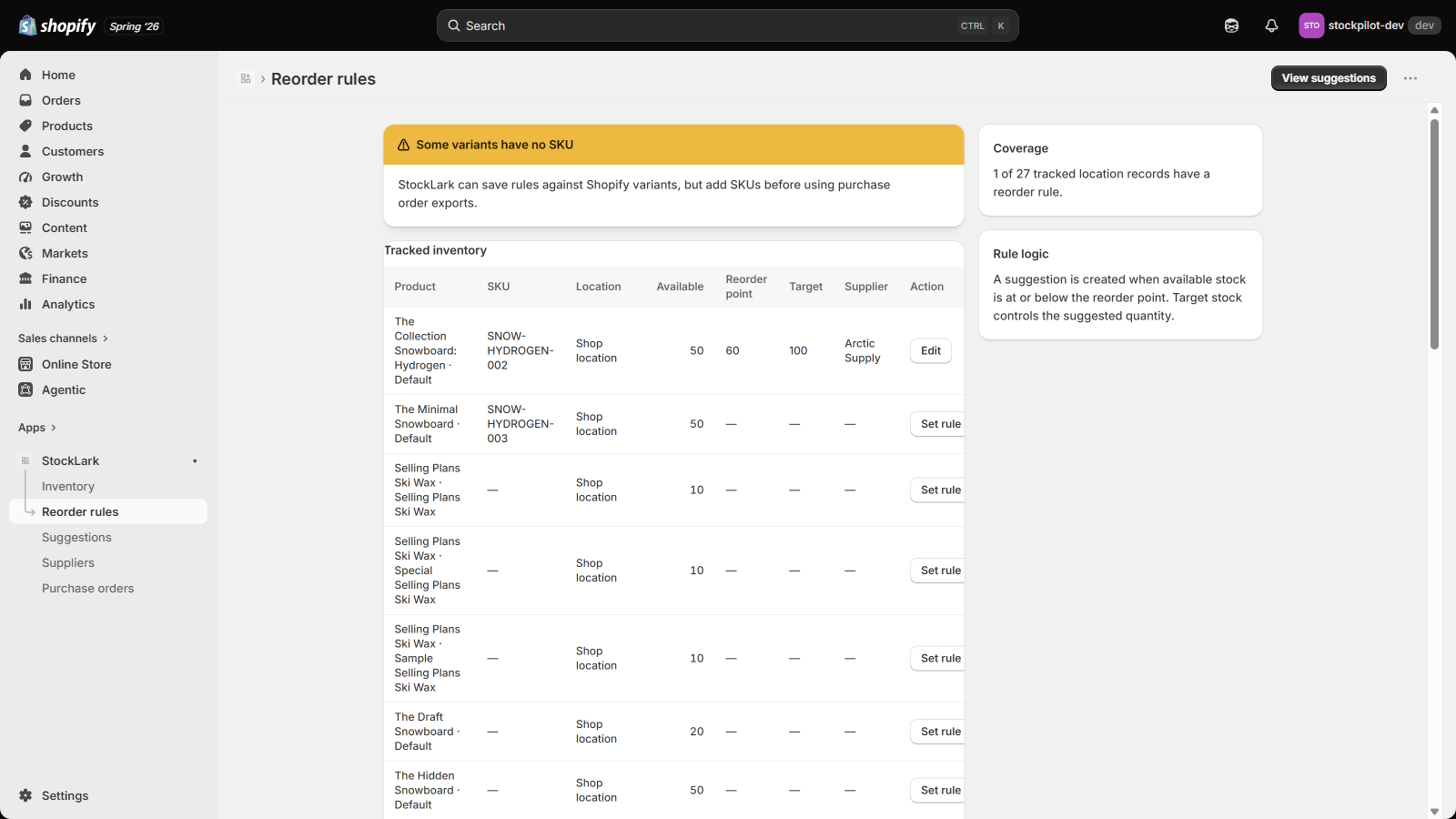
Save a reorder point, target stock, lead time, safety stock, and supplier for each tracked location.
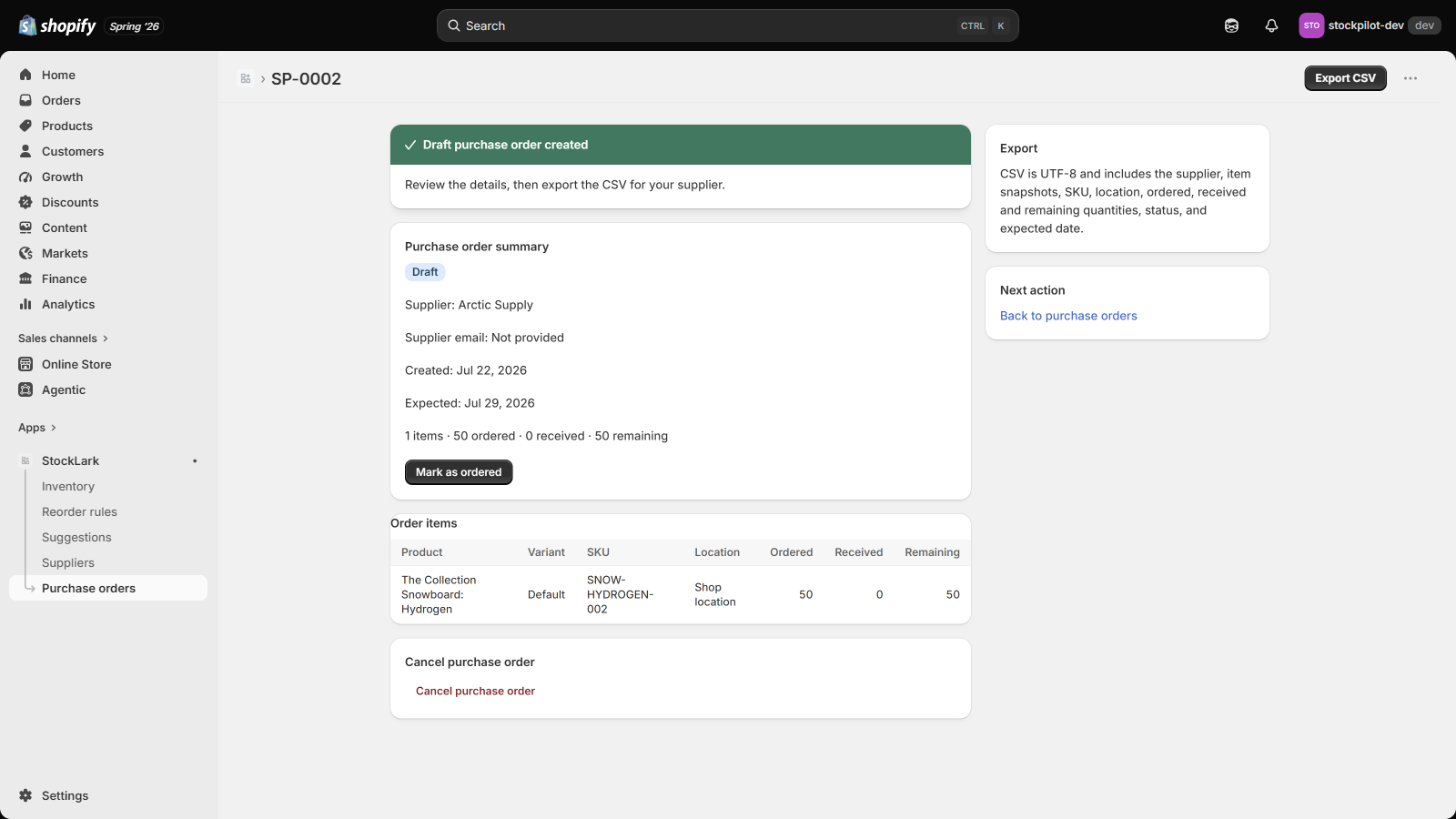
Group items by supplier, create a draft PO, export a UTF-8 CSV, and track partial receipts without changing Shopify inventory.
Real workflow, real interface
Follow one SKU from live inventory through an explainable reorder suggestion to an exportable draft purchase order.
Questions before you switch
No. It helps rebuild and continue the purchasing workflow. Shopify notes that some Stocky history and supplier data cannot be exported directly.
No. StockLark is read-only by design. Suggestions and purchase orders are planning records until you act on them.
Incoming is the unreceived quantity on StockLark purchase orders marked Ordered or Partially received.
Yes. Drafts include a UTF-8 CSV export with supplier, SKU, location, ordered, received, remaining, status, and expected date.